Embed your AI Agent on your Thinkific site
Thinkific is an online platform that enables individuals and businesses to create, market, sell, and deliver their own online courses and educational products. It provides a comprehensive suite of tools designed to facilitate the entire process of online education, from course creation to student engagement.
It's easy to embed your AI Agent into your Thinkific platform. To do this, we'll take advantage of Thinkific's Site Footer Code setting.
Steps to Embed your AI Agent in Thinkific
- Log into your Admin Dashboard on Thinkific
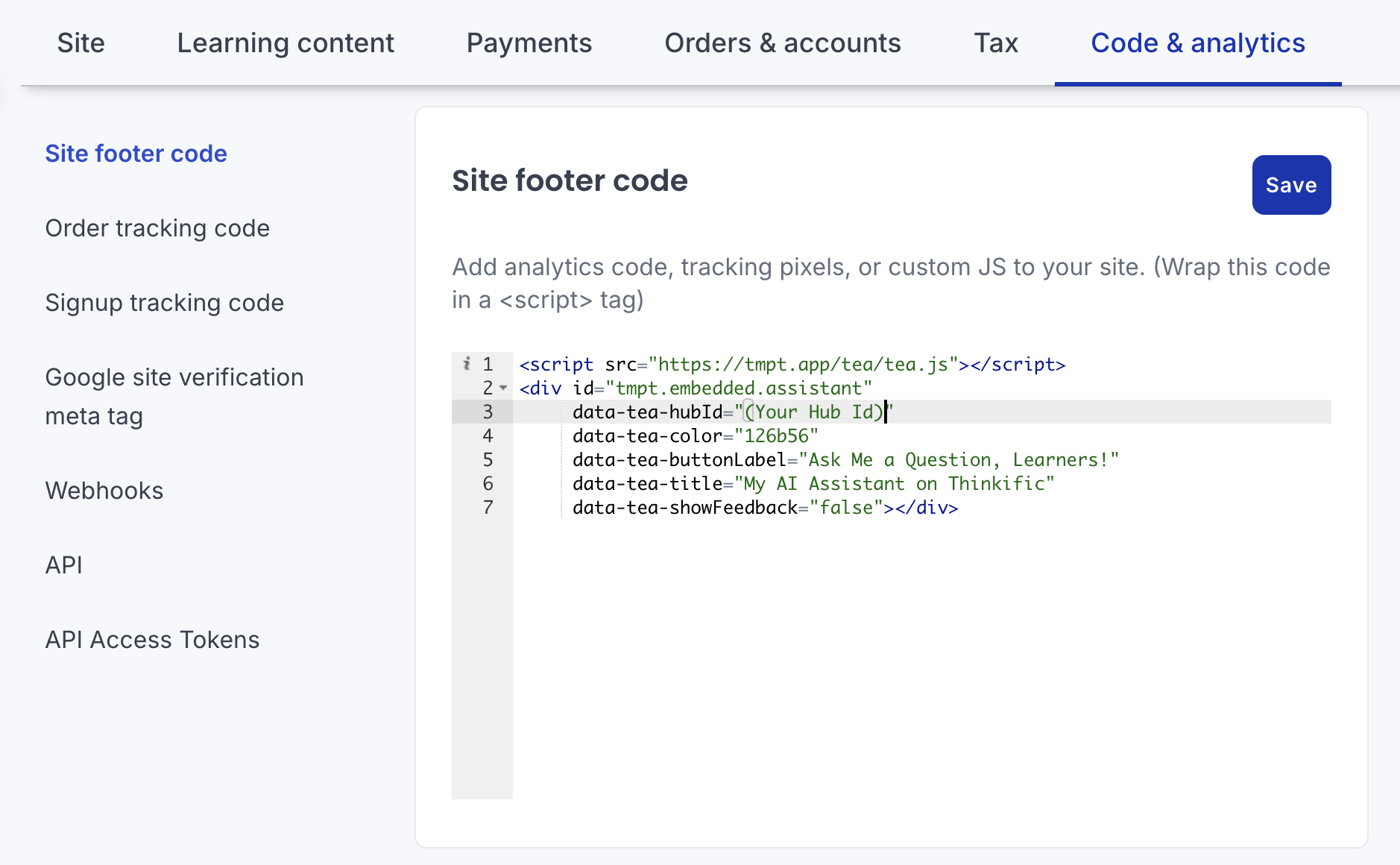
- Select the Code & analytics tab
- In the Site footer code, paste the embedded Agent code (see below)
- Click Save
As easy as that, you'll see the Ask a Question button across all of your pages and course player.
Example Site Footer Code
An example screenshot is show below. To learn more about the embedding code below, please see Embed your Answers From Me AI Agent in your own website
Once you save, you'll see your embedded Agent across your Thinkific site:
